

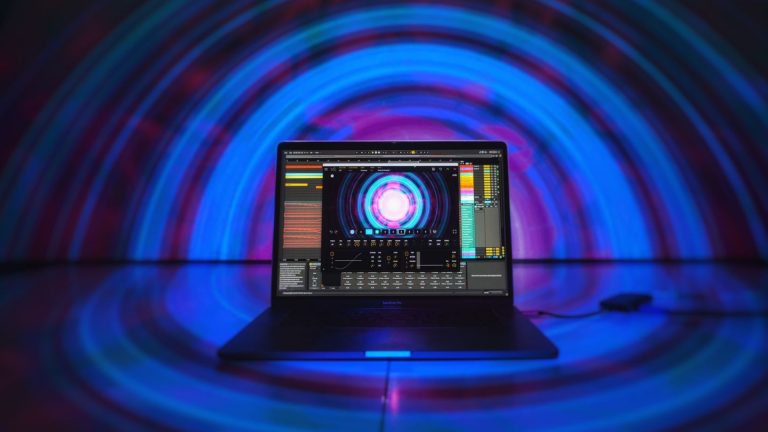
While music might be an audible medium, for decades, performers and venues alike have sought to turn music into an audio-visual experience.
Traditionally, of course, that’s achieved primarily through lighting and lighting effects. From simple solutions like lighting heads that respond to audio through an on-board mic to DMX to automated systems for DJs like SoundSwitch, no doubt lighting is key. But over the years, video has played a central role, as well, in creating a more immersive, more engaging experience for the public.
Since 2014, Portugal’s Imaginando has been creating some forward-thinking music software for both the studio and DJ markets, including the acclaimed DRC Polyphonic Synthesizer plug-in, to apps that turn a tablet into either a DJ or DAW controller. The company’s most recent introduction is VS – Visual Synthesizer. Calling it a “visual synth” is probably apt, in a way, but it belies what I think it really is: a music visualization system that outputs its results to video, providing creative and visually interesting, music-synced video content in real-time.
So, who’s it for? Well, VS would be equally at home whether adding a dynamic video component to a conventional DJ set or forming a visual video centerpiece for a performing DJ, playing their own music from a DAW.
How It’s Built
Imaginando’s description of VS as a synthesizer is in fact accurate in one sense; you feed it either MIDI data or audio, and it uses those inputs as modulators to drive up to eight layers of visual presentation. There’s also a background layer which accepts a static background image, a video, or simply a solid color (which defaults to black).
The visuals themselves are synthesized in real-time from what Imaginando calls materials, and 50 of them are included with the product. Some of the materials consume large portions of the screen, while others are smaller and more focused. The materials range from large patterns to laser-like, amorphous shapes. Because they’re layered together, hundreds of combinations are possible – and, as you’d expect, you can control the stacking order.
Beyond these choices, you can also adjust the color of the materials, and set blending modes in the same way you do in applications like Photoshop, providing a wide array of options in how the layers visually interact with one another.
Once the layers are configured as desired, VS provides several controls that affect how the layers behave, and what they’re reacting to from the MIDI or audio source material. It’s here, too, where VS does indeed seem like a synth in and of itself, as there are four low-frequency oscillators, simplified envelopes, and audio modulators. The LFOs can shape the visuals based on the oscillation patterns built into the software, while the envelopes do so based on triggers. With the audio modulators, the visuals are controlled by the audio source itself, with either a gate (level) mode which can control based on amplitude, or a spectrum mode that controls based on frequency, using simple four-band segmentation.
The behavior of the LFO, envelope and amplitude shaping is controlled by what Imaginando calls the modulation matrix. It maps these parameters individually to the hue, saturation, brightness, and alpha (transparency) of the materials you have a loaded in a layer; the speed, X position, Y position and zoom level of the visual; and the depth, spacing, glow, and rotation of the visual. You dial in just how much impact (if any) from each combination, using the spreadsheet-like matrix. The matrix also provides keyboard and velocity to be mapped from a MIDI source, which adds in some interesting possibilities for live control using a MIDI keyboard (or other controller).
How It Works
As I mentioned in the intro, it seems to me that VS could be used in a couple of different use cases.
The first is the one for which the product has arguably been designed: Integrating it with a digital audio workstation (DAW) application such as Ableton Live, Pro Tools, or Logic Pro. Doing so adds a visual component to musical compositions and allows another whole layer of customization and creativity to the music-production process. Once in place and wired into the various tracks of the composition as desired, it’s the perfect companion to a live show for the performing DJ, or any musician that uses DAW-based production. Because VS can be very finely controlled and tied to specific MIDI and/or audio tracks in the DAW, the possibilities become quite compelling, primarily because the behavior of VS has very fine-grained alignment with specific musical elements within the composition, based on how you set it up.
The second is perhaps more of a stretch for VS: Creating a video adjunct to a conventional DJ set. In this scenario, VS can still create some interesting visuals, but absent the ability to tie those visuals to MIDI data and/or specific tracks within a composition, the possibilities are much more limited, and arguably less creative since the product is responding and reacting to a single stereo audio track. Using the product’s spectral controls is about the only method available in this case to connect the visuals directly to what’s happening in the music, so while the result is very clearly reacting to the song, it can also become a bit monotonous.
It also requires source material that is varied in its spectral content, since the visuals will respond to that. The use of pass filters in your performance can help make that happen, and you can always cycle through saved presets to mix things up visually. So, while the end result for this use case might be limited, used alongside other video effects in a DJ’s or VJ’s bag of tricks, it can indeed add some variety to the mix.
Putting It Together
For producers, DAW integration is quite simple; VS is provided in VST format for Windows and Mac, as well as AU for Mac users. Simply drop the plug-in into a track, set up the MIDI and/or audio routings as needed and start playing. Imaginando doesn’t provide many tutorials, but even just looking at the approach they took in (for example) the Ableton Live tutorial, most users should be able to adapt the methodology to their DAW of choice.
For DJ/VJ use, you’ll need to go to some extra effort to insert a working VS solution into your mix. One method: Use the iOS app with an iPhone or iPad. Ideally, you’ll need to set up a simple audio interface that’s compatible with your device to pipe audio into the app in a high-fidelity manner (i.e., rather than use your device’s microphone).
You could also conceivably have a laptop running a DAW next to your DJ set-up to accomplish the same result. And with the available ways to beat-syncing DAWs like Ableton Live to a DJ set performed with other software, you could, in theory, even add some MIDI-based, beat-synced content to the DAW to enliven the output of VS.
In Closing
Best suited to adding a visual component to DAW-based musical compositions, Imaginando’s VS Visual Synthesizer is a unique, capable, flexible, and appealing solution. While I found grasping the general principles and configuring the effects to be a bit tough to wrap my head around at first, once I played with VS a bit, I found it’s straight-forward to operate.
Making the most of the visual results, of course, requires a fair amount of thought and time to do, and do well — not unlikely making music itself does. And while setting up a DJ/VJ solution with the product may involve some extra effort and compromises with the visual result, it could well make an interesting addition to your video bag of tracks.
The desktop version of VS is free to demo, and costs €99 (the company is based in Portugal, hence the pricing in euros), or €9.90 per month for 12 months through a “rent-to-own” model. The iOS app is priced at $19.99 in the Apple US App Store. Both versions come with a range of presets that enable to quickly dive in with some beautiful configurations.
To check out more gear reviews, click here.