Imagine you’re in the middle of a packed wedding reception. The dance floor is packed, the bass is pumping, and suddenly… the power cuts out. Total silence. As a mobile DJ, that’s your worst nightmare.
Now, imagine a bride-to-be trying to book your premium package on your website, only for the page to crash or the contact form to freeze. That is the digital equivalent of a blown speaker, and it’s exactly what can happen if you aren’t prepared for major web updates.
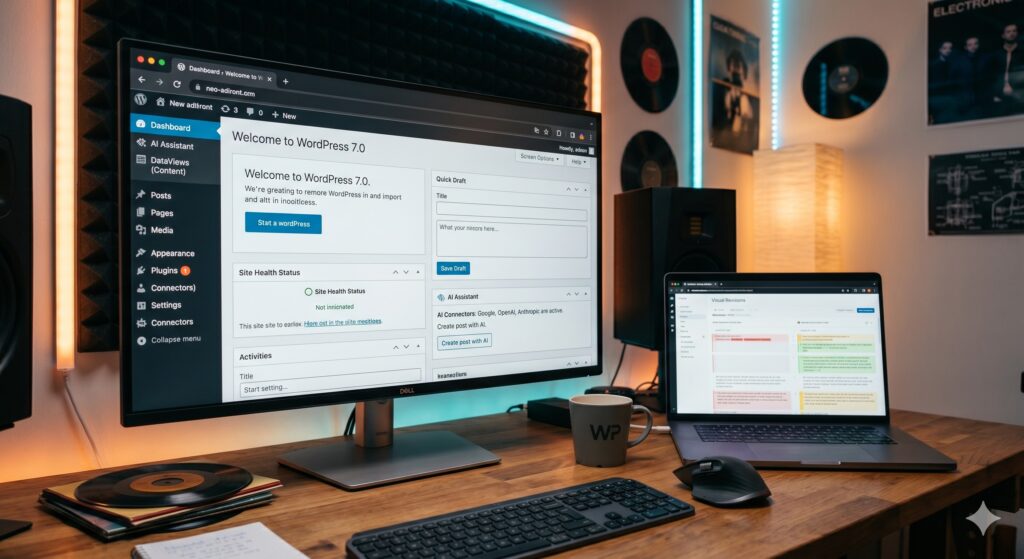
Newsflash: WordPress 7.0 officially drops today – Wednesday, May 20, 2026
This isn’t just a minor security patch; it’s a massive generational leap for the platform, introducing game-changing native AI features, a refreshed admin dashboard, and advanced block controls. Because under-the-hood components like React 19 are being introduced, treating this like a routine update could crash your site.
Here is your pre-event checklist to ensure your mobile DJ website upgrades smoothly without missing a single booking.
- Back Up Your Site (Your Digital “Backup Generator”)
You wouldn’t roll up to a high-end gig without a backup laptop, a secondary controller, or extra cables. Do not approach a major WordPress update without a fresh backup.
Before you click “Update,” ensure you have a complete, independent backup of your website.
- The Essentials: You need a copy of both your database (your bookings, reviews, and page content) and your files (your images, theme, and plug-ins).
- How to do it: Use trusted plug-ins like UpdraftPlus, or log into your hosting provider (like SiteGround or WP Engine) and manually trigger a system-level snapshot. Download a copy to your local hard drive or cloud storage – don’t just rely on the server.
- Spin Up a Staging Site (The “Sound Check”)
Never test your sound levels directly over the main PA system while the guests are walking in. Similarly, never test a major core update directly on your live website.
A staging site is a private clone of your website that’s hidden from the public. It allows you to test WordPress 7.0 behind the scenes.
- The Process: Push your live site to a staging environment (most premium web hosts offer this with a single click). Update the staging site to WordPress 7.0 first.
- The Test: Click through your site. Does your music playlist player still load? Does your calendar integration still show your available dates? Is your pricing page formatted correctly? If it breaks on staging, your live site is safe while you fix it.
- Audit Your Booking Tools and Event Plug-ins
Mobile DJ websites rely heavily on specialized plug-ins. Whether you use a date checker, an interactive event planner (like DJ Event Planner), an instant quote generator, or a calendar booking tool, these plug-ins are your lifelines.
WordPress 7.0 introduces deep structural changes to how code is rendered.
- Check Compatibility: Look at your WordPress dashboard. Are your crucial plug-ins marked as “Compatible with WordPress 7.0”?
- Contact Developers: If you use custom-coded quote calculators or specialized DJ tools that haven’t been updated by their developers recently, reach out to their support teams immediately. Ensure they are ready for the core framework changes.
- Get Ready for the Exciting New Features
Once you’ve safely upgraded, WordPress 7.0 brings some incredible new tools that are uniquely beneficial for mobile entertainment companies. They include:
Native AI Tools for Content Creation
WordPress 7.0 features a brand-new native AI Connectors Screen (under Settings > Connectors). You can link your site directly to AI models like OpenAI or Google Gemini.
- How to leverage it: This will make it incredibly easy for upcoming AI-driven plug-ins to help you automatically write SEO-friendly blog posts about venues you’ve worked at, generate descriptive alt-text for your gallery images, or quickly draft event summaries.
Device-Specific Viewport Controls
Ever get annoyed when a gorgeous photo of your lighting rig looks amazing on a desktop computer, but completely cuts off or ruins the layout on an iPhone?
- The Fix: WordPress 7.0 introduces built-in responsive controls directly into the block editor. You can now select any block (like a massive video header or a complex contact form) and literally click “Hide on Mobile” or “Hide on Desktop” to perfectly curate the user experience depending on what device the client is using.
Upgraded Playlist Blocks
For DJs who showcase mix samples directly on their site, the core Playlist block is getting a major cosmetic upgrade with WaveformPlayer visualization. Instead of a boring, flat play bar, your clients will see a sleek, moving audio waveform, giving your site a premium, modern, audio-industry feel.
The Golden Rule for May 20: Don’t Rush
If your DJ company is currently in the middle of a frantic spring wedding season and you rely heavily on your daily digital leads, do not rush to update on day one. Turn off automatic core updates for major versions in your WordPress settings. Let the initial rush pass, wait a few days for plug-in developers to patch any unexpected day-one bugs, test it thoroughly on your staging site, and then make the leap.
Keep your website as smooth and reliable as your transitions on the turn-tables. Happy mixing!
Jordan St Jacques is the CEO of Ottawa’s Digitera and New York City’s National Proms.